
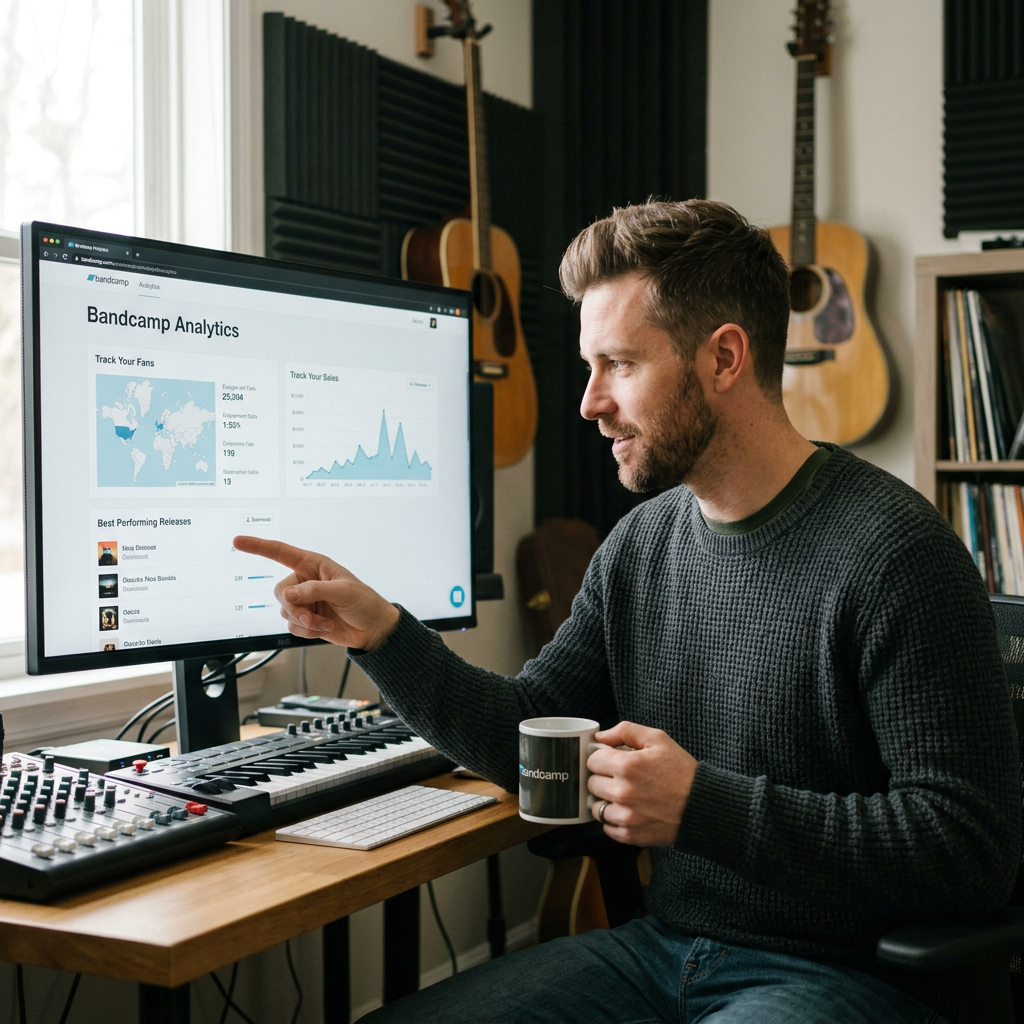
Bandcamp Analytics Explained: Track Your Fans, Sales & Best-Performing Releases
Getting more Bandcamp sales isn’t just about promoting your music harder.
Sometimes the most useful thing you can do is look at what’s already happening.
Which releases are selling?
Where are your buyers located?
Which products are actually making you money?
Are people visiting your Bandcamp page but not buying?
And are there particular albums, tracks or merchandise items that consistently perform better than everything else?
Bandcamp gives artists several ways to understand their performance, from its built-in stats and sales reports to additional visitor information available through Google Analytics for Bandcamp Pro and Label accounts.
You don’t need to become a data analyst.
You simply need to know which numbers are useful — and what to do with them.
In this guide, we’ll look at how to use Bandcamp analytics to understand your audience, track your sales and identify which parts of your Bandcamp strategy are actually working.
If your main goal is increasing revenue, start with my complete guide to How to Get More Bandcamp Sales.
Quick Guide

What Can Bandcamp Analytics Tell You?
Analytics are useful because they replace assumptions with evidence.
You might think your newest album is your strongest product.
Your sales data might show that an older release continues to bring in more money.
You might assume most of your buyers are in your own country.
Your customer data could tell you that a significant part of your audience is somewhere completely different.
Or you might spend most of your promotional energy trying to increase streams when your real opportunity is selling more merchandise to people who already buy your music.
The point isn’t to stare at numbers all day.
It’s to use the information you have to make better decisions.
Broadly, your Bandcamp data can help you understand:
- What people are buying.
- How much you’re earning.
- Which releases perform best.
- Where buyers are located.
- How your catalogue performs over time.
- Where visitors and sales may be coming from.
- Whether promotional activity appears to be producing results.
That can help you decide what to promote, what to release next and where to spend your limited time.
Where to Find Your Bandcamp Stats
Bandcamp provides built-in statistics and reporting tools for artists.
You’ll find your sales and reporting tools within your artist account, with more detailed downloadable reports available through the Tools section.
Bandcamp currently provides three main sales reports:
- Revenue summary.
- Payout statement.
- Raw data report.
They serve different purposes, so don’t assume you need to spend hours digging through every spreadsheet.
For most artists, the easiest approach is to start with one question.
For example:
Which release made me the most money over the last six months?
Then use the report that helps you answer it.
That’s far more useful than opening a huge spreadsheet without knowing what you’re looking for.
Track Your Bandcamp Sales
Sales are one of the clearest signals you have.
A stream tells you somebody listened.
A sale tells you somebody was willing to spend money.
Bandcamp’s reporting tools allow you to examine what you’ve sold and how much you’ve earned.
Its raw-data sales report provides a detailed chronological record of sales, payments and reversals. Each sale includes information about what was sold, when it was purchased and the money involved.
That can help you answer questions such as:
- Which albums sell most often?
- Which tracks generate sales?
- Which merchandise products sell?
- Do certain releases continue selling months later?
- Did sales increase around a particular promotion?
- Are people buying more during release campaigns?
Don’t just look at your lifetime sales total.
Look for patterns.
If one album repeatedly sells while another receives attention but rarely converts into purchases, that’s useful information.
Ask why.
Was the successful release promoted differently?
Is its artwork stronger?
Is the price different?
Does it appeal to a more engaged part of your audience?
Does it include a format fans particularly want?
Analytics can’t always tell you why something happened.
But they can tell you where to start investigating.
Find Your Best Performing Releases
One of the simplest ways to use Bandcamp data is to identify the releases doing the most work for you.
Don’t automatically define “best performing” as the release with the most plays.
For an independent artist trying to make money directly from fans, you may care much more about:
Sales
How many purchases did the release generate?
Revenue
How much money did it actually bring in?
Longevity
Did it sell for three days after release, or is it still generating purchases six months later?
Fan response
Did the release help you attract followers, buyers or repeat supporters?
Merchandise opportunities
Did a physical edition or related product perform particularly well?
Once you know which releases are strongest, you can use that information.
Perhaps an older album deserves another promotional push.
Perhaps fans clearly prefer physical editions.
Perhaps one style of release consistently outsells another.
Your best-performing release isn’t just something to celebrate.
It’s something to learn from.
Understand Your Bandcamp Revenue
Sales and revenue aren’t exactly the same thing.
If you sell ten low-priced downloads and two higher-value merchandise products, the product with fewer individual sales might still contribute more money to your business.
That’s why revenue matters.
Bandcamp’s Revenue Summary Report is designed to show how much you earned over a selected date range for an individual release or your whole catalogue. It includes figures such as gross revenue, net revenue, shipping and tax.
This makes it particularly useful when you’re trying to understand what you’re actually making rather than simply how many orders appeared.
Look at both:
Gross revenue — the total value of the sales.
and
Net revenue — what remains after relevant deductions.
Bandcamp currently charges a revenue share on sales, and payment-processing charges are separate, so the price displayed to a customer isn’t necessarily what ends up with you.
This matters when evaluating products.
A product can look successful because it generated lots of orders while producing very little profit.
Another might sell less frequently but be much more valuable.
If you sell merchandise, include production, packaging and any shipping costs you’re absorbing when assessing whether it genuinely makes financial sense.
I’ve covered the merchandise side separately in How to Sell Merch on Bandcamp.
See Where Your Buyers Are Located
Knowing where people actually buy your music can be surprisingly useful.
Bandcamp has a map section within its stats where artists can view buyer-location information.
For regular accounts, Bandcamp says the displayed country is based on the buyer’s PayPal account location. Pro accounts can provide more detailed location information, using the buyer’s IP address to show country and, where applicable, city and state or region.
Why does this matter?
Imagine you’re a UK artist but discover that a meaningful proportion of your buyers are in Germany or the United States.
That could affect:
- Where you target promotion.
- When you send emails or publish announcements.
- Where physical shipping demand comes from.
- Where you might consider touring.
- Which countries you prioritise for future campaigns.
Again, don’t overreact to tiny numbers.
Three buyers in one city don’t necessarily mean you should book a tour there tomorrow.
Look for repeated patterns over time.
That’s where the information becomes useful.

Look at Where Your Sales Come From
A sale tells you somebody bought.
The next question is:
How did they get there?
This is where referral information becomes useful.
If you can see that buyers repeatedly arrive from a particular website, search engine, social platform or promotional source, you have evidence about which channels may be contributing to sales.
That’s far more useful than measuring promotion purely by likes.
For example, imagine:
- Instagram gets 5,000 views but no obvious sales.
- A small music blog sends 30 visitors and generates two purchases.
- Google continues sending visitors to an older release months after launch.
Which source deserves more attention?
Probably not the one with the prettiest vanity metric.
Bandcamp Pro includes location and referrer data for sales; Bandcamp’s current documentation notes that these data stop being collected if a Pro subscription ends.
Use referral information to look for patterns rather than trying to attribute every individual purchase perfectly.
The question is:
Which sources repeatedly send people who do something valuable?
Track Your Fans and Audience Growth
Sales aren’t the only thing worth watching.
Your Bandcamp audience itself is an asset.
Someone might discover your music today, follow you and not buy until your next release.
That means audience growth can be a useful leading indicator even when it doesn’t immediately generate revenue.
Track whether your follower base is gradually increasing alongside your releases and promotion.
But don’t obsess over the number.
As we covered in How to Get More Bandcamp Followers, genuine followers who listen, buy and return are more valuable than inflated numbers that never produce meaningful engagement.
Look at follower growth alongside:
- Releases.
- Sales.
- Promotions.
- Mailing-list growth.
- Repeat buyers.
If a particular campaign generates followers as well as sales, that’s worth noticing.
You may be creating value that continues beyond the immediate release.
Connect Google Analytics to Bandcamp
Artists who want more detailed visitor information can take things further.
Bandcamp currently allows Bandcamp Pro and Label users to connect Google Analytics 4 (GA4) to their Bandcamp account.
That gives you another way to understand how people use your Bandcamp pages.
The setup involves creating a web data stream in Google Analytics, copying its Measurement ID and adding that ID to the Google Analytics section of your Bandcamp profile.
Bandcamp says it can take up to 24 hours before Google begins displaying data from your Bandcamp pages.
You don’t need GA4 to start making sensible decisions from your Bandcamp data.
But if you’re already generating meaningful traffic, it can provide another layer of information about your visitors.
The important part is not installing analytics simply because you can.
Install it because there’s something you want to understand.
For example:
- Which pages receive the most visits?
- Where does your traffic originate?
- Which campaigns bring people to Bandcamp?
- What happens after visitors arrive?
- Are particular releases attracting more attention than others?
Start with the question.
Then look for the data.
What’s the Difference Between Bandcamp Stats and Google Analytics?
Think of them as answering different parts of the picture.
Bandcamp’s own reports are particularly important for understanding activity happening within your Bandcamp business, such as sales, revenue, payouts and buyer information.
Google Analytics is useful for examining visitor traffic and behaviour on your Bandcamp pages.
You don’t need to choose one and ignore the other.
If you have access to both, use them together.
For example:
Google Analytics: A particular campaign sent a spike of visitors.
Bandcamp: Sales also increased during that period.
That’s more useful than either number alone.
But be careful with attribution.
If traffic and sales rise at the same time, that doesn’t automatically prove one particular campaign caused every sale.
Analytics are evidence.
They’re not magic.
What Should You Actually Measure?
You could measure dozens of things.
You probably shouldn’t.
For most independent artists, I’d start with a small scorecard:
Sales
How many purchases are you generating?
Revenue
How much are those purchases actually worth?
Best Performing Releases
Which albums, tracks or products consistently generate results?
Buyer Location
Where are paying supporters located?
Traffic and Referrals
Where are visitors and buyers coming from?
Followers
Is your audience gradually growing?
Repeat Support
Are people who bought previously returning for future releases?
These numbers tell you far more about the health of your Bandcamp presence than constantly checking page views.
And you don’t need to inspect them every morning.
For most artists, checking periodically — and after meaningful campaigns or releases — is enough.
The goal is to notice trends, not react emotionally to every small movement.
Don’t Confuse Attention With Results
This is perhaps the most important part of Bandcamp analytics.
Not every large number is valuable.
Imagine two releases.
Release A
- 2,000 visits.
- Lots of social engagement.
- Very few purchases.
Release B
- 300 visits.
- Less social attention.
- 20 purchases.
Which one performed better?
If your goal was direct-to-fan income, probably Release B.
This is why artists need to be careful with vanity metrics.
Plays, views and followers can all be useful.
But they need context.
Ask:
Did this attention move people towards something valuable?
That could be:
- A sale.
- A follower.
- An email subscriber.
- A repeat customer.
- A merchandise purchase.
- A stronger relationship with a fan.
Traffic is useful when it leads somewhere.
Compare Releases Fairly
When comparing performance, make sure you’re not comparing completely different situations.
An album released yesterday shouldn’t necessarily be judged against one that’s been available for three years.
Likewise, a release supported by a large promotional campaign isn’t directly comparable with something you quietly uploaded with no promotion.
Use sensible time periods.
For example:
First 30 days after release
Compare the first month of several releases.
First 90 days
Useful for understanding whether momentum continued.
Last 12 months
Helpful for seeing which parts of your catalogue continue producing results.
This gives you much cleaner information.
You can then start identifying patterns across comparable periods rather than simply ranking everything by lifetime totals.
Turn Your Bandcamp Data Into More Sales
Analytics only become valuable when they change what you do.
If your data shows that:
One release sells particularly well
Promote it again and investigate why it converts.
One country repeatedly produces buyers
Consider whether that audience deserves more attention.
Merchandise generates much more revenue per customer
Think about whether your next release could support another physical product.
A particular referral source sends buyers
Strengthen that channel.
Traffic is growing but sales aren’t
Look at your pricing, page presentation, offer and conversion path.
Followers are increasing but repeat sales aren’t
Think about how you’re communicating with those people between releases.
This is where analytics stop being a spreadsheet and start becoming a strategy.
You don’t need perfect information.
You need enough information to make your next decision slightly better than your last one.
How Often Should You Check Bandcamp Analytics?
Not every day.
Constantly checking numbers can encourage you to react to noise rather than trends.
Instead, create a simple routine.
You might review your Bandcamp performance:
- After a release campaign.
- After a Bandcamp Friday.
- At the end of each month.
- Before planning your next release.
- After testing a new promotional channel.
Record a few important numbers and compare them over time.
The longer you do this, the more useful the information becomes.
One isolated month tells you something.
Six or twelve months of consistent tracking can tell you much more.
You’ll start seeing which releases have staying power, which campaigns produce buyers and which parts of your strategy aren’t worth repeating.
So, Are Bandcamp Analytics Worth Using?
Yes — provided you use them to answer useful questions.
You don’t need complicated dashboards or hours of spreadsheet work.
Start with:
What sold?
How much did I make?
Which release performed best?
Where did my buyers come from?
What should I do more — or less — of next time?
That’s enough to turn your Bandcamp statistics into something practical.
The purpose of analytics isn’t to make music feel like a maths lesson.
It’s to help you spend less time guessing.
And when you’re an independent artist with limited time and money, making decisions based on what your audience actually does can be far more valuable than following generic advice about what musicians are “supposed” to do.
Want to Turn More of Your Bandcamp Traffic Into Sales?
Knowing your numbers is useful.
Knowing what to do with them is even better.
Bandcamp Mastery walks you through how to improve your Bandcamp presence, attract more fans and turn more of that attention into sales.
If you’re already using Bandcamp but want a clearer strategy for growing your audience and making more from your music, this is the next step.


Leave a Reply